Updating Entrata API Credentials to Use API Key Authentication
Last updated: March 13, 2025
Starting March 31, 2025, Entrata is updating their API authentication method to use API keys. This article explains how to update your Entrata integrations to use the new authentication method.
Updating Existing Integration Credentials
To update your integration credentials:
Navigate to the integration settings
Open the "Edit Credentials" section
Remove the existing username and password
Add your new API key in the proper form field
Keep the existing company ID/subdomain unchanged
Ensuring Access To Your Customer's Environment
In the case that you receive authentication errors after changing credentials, it's possible that your customer hasn't allowed your Entrata application to access their data.
To have your customer grant your application access, have them:
Go to the "Apps" tab in their Entrata dashboard
Select "API Access" on the secondary tab
Click the "Add API User" button in the upper right hand of the page
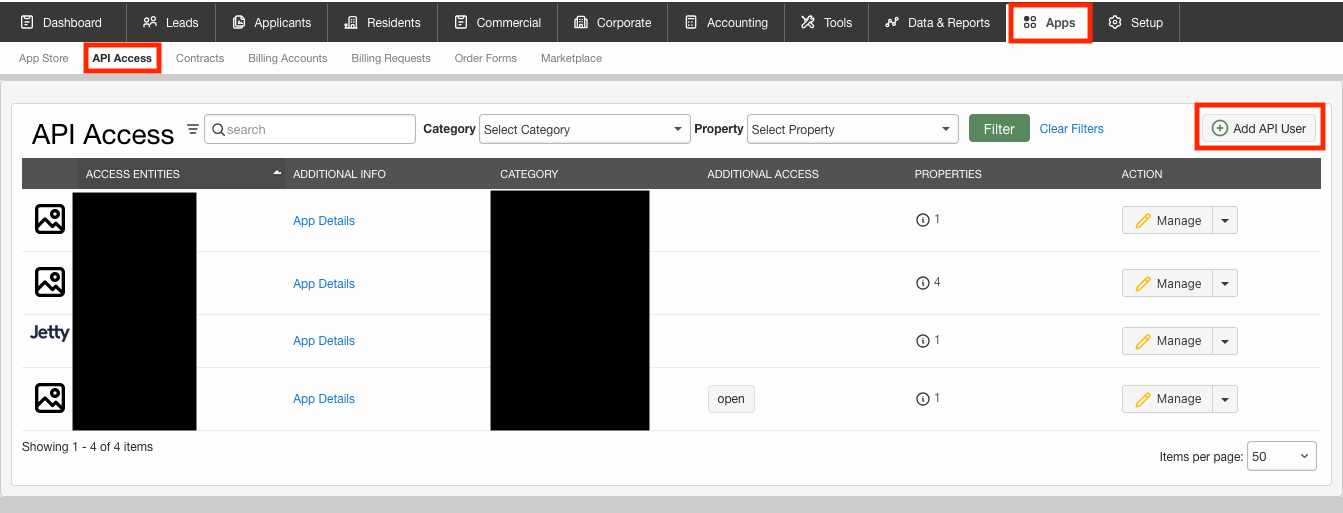
Search of the Entrata application
Click "Enable Access" on the right hand side
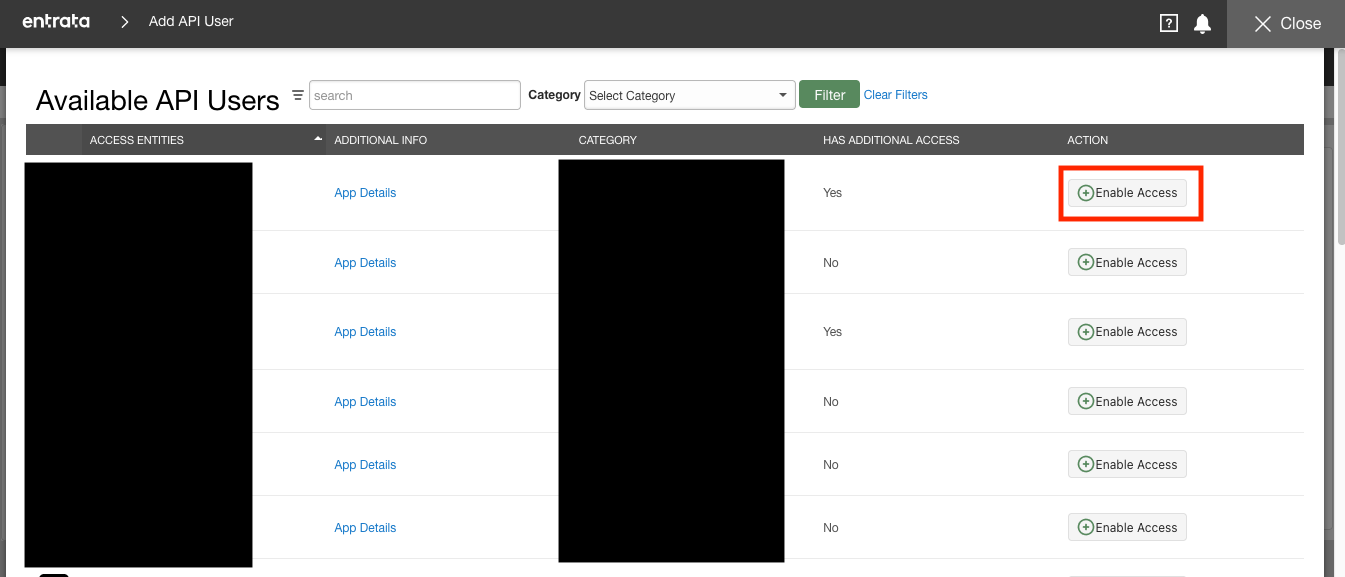
Follow the next few screens
Recommended Testing Approach
Before updating your production integrations, we recommend the following testing approach:
Select a smaller production client for initial testing
Create a new test integration using the new API key and company ID
Verify that data is flowing correctly in the test integration
Once verified, archive/delete the test integration
Update the credentials on your existing production integration
For additional security and control, we recommend requesting access to the Entrata developer portal through their access request form. This provides direct access to API keys and sandbox environments for testing.
Need Help?
If you encounter any issues during the credential update process, please contact our support team for assistance.