How to Use the Propexo API for Sandbox Testing
Last updated: January 27, 2025
Understanding Sandbox vs. Production Environments
When working with the Propexo API, it's important to distinguish between sandbox and production environments:
Sandbox API URL:
https://api.sandbox.propexo.comProduction API URL:
https://api.propexo.com
The sandbox environment is designed for testing and development purposes. Always use the sandbox URL when setting up and testing your integration.
Accessing the API Documentation
You can find the full API documentation at https://docs.propexo.com/documentation/getting-started/introduction.
Key Endpoints for Property Management
Two important endpoints for managing properties and vacancies are:
Units:
/v1/units- Get all unitsListings:
/v1/listings- Get all listings
Using the API Documentation Interface
When viewing the API documentation:
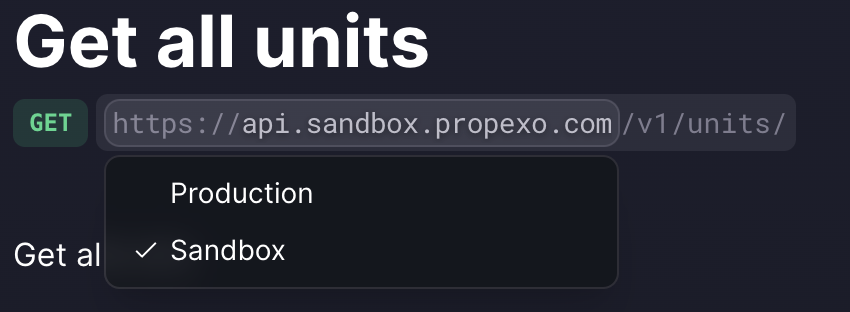
Look for the dropdown menu near the API endpoint URL.
Use this dropdown to switch between "Production" and "Sandbox" environments.
Filtering API Results
To retrieve data for specific integrations or vendors:
Use the
integration_idfilter to get data for a specific integration.Use the
integration_vendorfilter to get data for all integrations of a specific vendor (e.g., ENTRATA).
Example: https://api.sandbox.propexo.com/v1/units?integration_vendor=ENTRATA
Troubleshooting
If you're not seeing any results when querying the API:
Double-check that you're using the correct URL (sandbox or production).
Ensure that you've completed a manual sync for your integration.
Verify that you're using the correct integration ID or vendor name in your filters.
If you continue to experience issues, contact Propexo support for further assistance.