Enabling/Disabling Property Data Syncing in Propexo
Last updated: March 23, 2026
Propexo gives you flexible control over which properties sync data to your system. This guide explains how to prevent unwanted property data from being read during and after integration setup.
Understanding Property Deactivation
When you deactivate a property, Propexo will still maintain the property record itself, but it won't sync associated data like leases, residents, and other details. For more information on how this works, visit our syncing documentation.
Preventing Automatic Property Addition
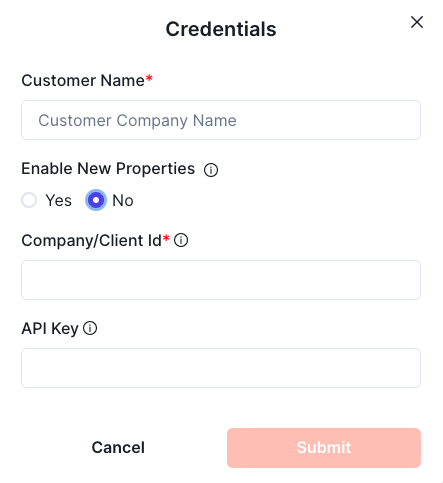
When setting up a new PMS integration, you'll see an option called Enable New Properties. This setting controls whether properties added to your PMS after the integration is established will automatically sync their data.
To prevent automatic syncing:
Select "No" for the Enable New Properties option during setup
Any properties added to your PMS later will be created in Propexo, but their associated data won't sync automatically
Disabling Active Properties
If you need to stop syncing data for properties that are already active:
Navigate to your integration view
Scroll down to the Enabled Properties section
Click the Disable button under the Actions column for any property you want to deactivate
This gives you ongoing control over which properties actively sync data to your system.

Enabling or Disabling Properties Programmatically
If you have multiple properties that you would like to enable or disable, you can use the Update a Property Configuration endpoint to do so programmatically, by setting the enabled field in the request.