How to gain access to a specific method in Entrata
Last updated: November 25, 2025
The property management system administrator in charge of an Entrata instance has control over API users and their access to different methods. If you're receiving an error when trying to read Entrata data that says "The 'orgs' is not allowed to make this call", here's how to fix it:
Step 1: Identify the method you need access to
You can identify which PMS method is used by checking the response section in our documentation. This article explains this process in more detail, but if you have any difficulties, please don't hesitate to reach out to Propexo support.
Step 2: Update the API user permissions
You'll need your customer or whoever is in control of the Entrata instance to follow these steps:
Log into their portal
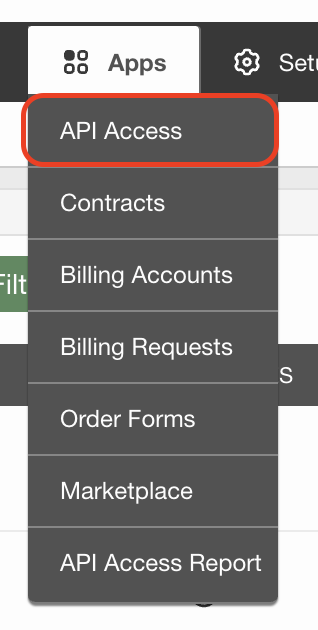
Click on "Apps" and then select "API Access"
Click the "Manage" button next to their API user

Navigate to the "Web Service Permissions" tab
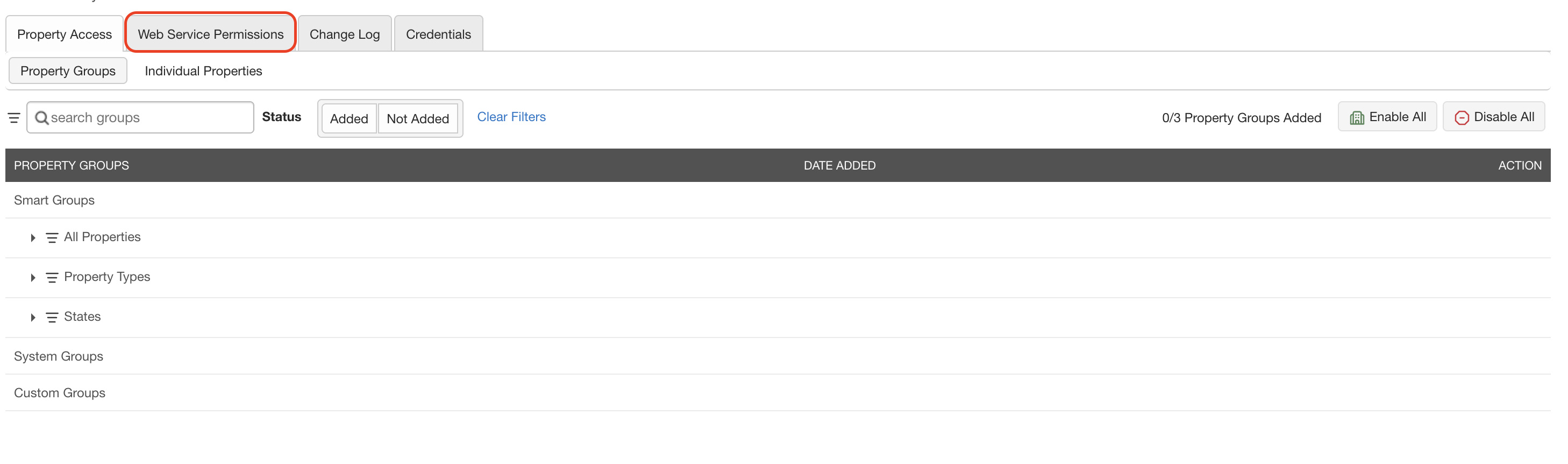
Check the box in the section corresponding to the method identified in Step 1.
Once these permissions are updated, the API user will have access to the required method and the error should be resolved on your next integration sync.